To get IPTV online in Australia, you need a stable internet connection and a subscription from a reliable IPTV provider like GETIPTV. Once subscribed, you can stream live television and video content using various devices, such as the Amazon Fire TV Stick or Android TV. Proper setup and understanding of IPTV technology ensure a smooth streaming experience.
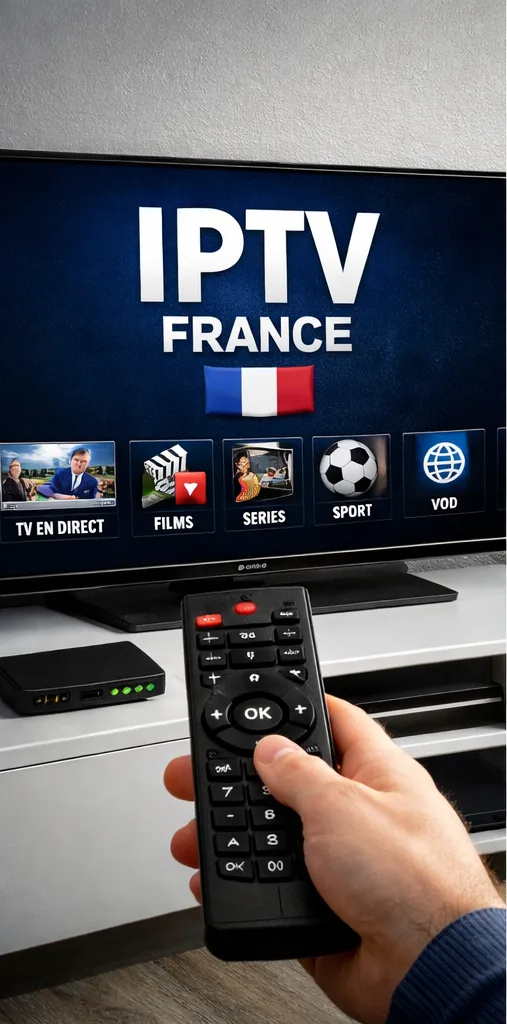
- Subscribe to a reputable IPTV provider offering Australian content.
- Use compatible streaming devices like Firestick or Smart TV apps.
- Ensure sufficient internet bandwidth for HD or 4K streaming.
What is IPTV and How Does it Work in Australia?
Internet Protocol Television (IPTV) is a technology that delivers television content over the internet instead of traditional terrestrial, satellite, or cable formats. IPTV in Australia allows users to stream live TV, video-on-demand, and other multimedia services using their internet connection. Unlike conventional broadcast, IPTV transmits content through Internet Protocol networks offering greater channel variety and flexibility.
Australian viewers use IPTV to access local and international channels, often including sports, news, entertainment, and cultural content tailored to the region. This digital delivery is especially useful given Australia’s vast geography, providing options where cable or satellite may be limited.
Choosing a Reliable IPTV Provider in Australia
Selecting a trustworthy IPTV provider is essential for quality, security, and legality. GETIPTV.vip is known in Australia to provide high-quality servers with 24/7 support. When selecting a provider, consider:
- Legitimacy and compliance with Australian broadcasting regulations.
- Content availability – channels specific to Australian audiences.
- Server reliability and video streaming quality.
- Customer service and technical support availability.
Compared to other methods, legitimate IPTV services ensure you avoid copyright violations and receive consistent content. You can explore GETIPTV Australia’s offerings here: Buy IPTV in Australia with GETIPTV.VIP.
Other IPTV providers with Australia services
Devices to Access IPTV in Australia
IPTV can be streamed on multiple devices supporting internet connectivity and IPTV player applications. Common options include:
- Amazon Fire TV Stick: Popular for its compact size and app support. Check the detailed guide at IPTV on Amazon Fire TV Stick in Australia: Ultimate Guide.
- Smart TVs: Many Smart TVs support IPTV apps directly or via USB dongles.
- Android TV Boxes and Smartphones: Allow flexibility with IPTV apps from Google Play Store.
- PC or Mac: IPTV players like VLC or dedicated software can stream IPTV playlists.
Choose your preferred device such as Firestick or Smart TV.
Download and install a compatible IPTV player app.
Subscribe and obtain the IPTV playlist or credentials from your IPTV provider.
Load the IPTV link into your player app and start streaming.
Internet Requirements for Smooth IPTV Streaming in Australia
Streaming IPTV requires consistent internet bandwidth. The recommended speeds vary depending on video quality:
| Video Quality | Recommended Speed (Mbps) |
|---|---|
| Standard Definition (SD) | 3-4 Mbps |
| High Definition (HD) | 5-8 Mbps |
| Ultra HD (4K) | 15-25 Mbps |
Users need a reliable broadband connection preferably with minimal latency and stable throughput. Fiber optic internet or high-speed cable internet are ideal for IPTV streaming in Australia. Using a VPN can also improve security and help overcome geo-restrictions commonly associated with content delivery.
Comparing IPTV to Traditional TV Options in Australia
Unlike satellite or cable TV, IPTV uses your internet connection to deliver content, allowing for on-demand features and broader channel selection. The comparisons below highlight key points:
| Feature | IPTV | Cable/Satellite TV |
|---|---|---|
| Delivery Method | Internet Protocol Networks | Cable or Satellite Signals |
| Channel Selection | Often more varied, including international options | Limited to provider’s package |
| On-Demand Content | Widely supported | Less common or available with extra fees |
| Setup Complexity | Device and app setup required | Usually professional installation |
| Cost | Varies; often more affordable subscription options | Fixed monthly fees plus equipment rental |
Step-By-Step Setup of IPTV on Firestick in Australia
Setting up IPTV on a Firestick device in Australia is a widely used method due to its affordability and ease of use. Follow these steps:
Power on your Amazon Fire TV Stick and connect to Wi-Fi.
Go to Settings > My Fire TV > Developer Options; enable “Apps from Unknown Sources” and “ADB Debugging”.
Download the IPTV player app via Downloader or Amazon App Store (popular options include IPTV Smarters or Perfect Player).
Subscribe to an IPTV service such as GETIPTV and receive your login credentials or playlist URL.
Open the IPTV app, enter your provider’s credentials or playlist link, and load the channels.
Navigate channels and enjoy streaming live TV and video on demand.
More detailed info is available at IPTV on Amazon Fire TV Stick in Australia: Ultimate Guide and IPTV Firestick Australia Service.
Legal and Regulatory Considerations for IPTV in Australia
Using IPTV in Australia involves ensuring the service complies with copyright laws and broadcasting regulations. IPTV providers must respect licensing agreements, and users should avoid unauthorized or pirated streams to stay within legal boundaries.
The Australian Communications and Media Authority (ACMA) oversees media compliance. While IPTV is legal if offered legitimately, consumers should verify providers’ reputability. Using legal services helps support content creators and avoid penalties.
External resources for standards and compliance include:
- Wikipedia IPTV article
- ETSI Standards on IPTV
- Cloudflare Learning Center on Internet Security
- ARCOM – French Media Regulator
Foire aux Questions (FAQ)
What is the primary requirement to get IPTV online in Australia?
You need a reliable internet connection and a subscription from a legitimate IPTV provider that serves Australian content.
Can I watch IPTV on Amazon Fire TV Stick in Australia?
Yes, the Amazon Fire TV Stick supports IPTV apps, making it a popular device for streaming IPTV content in Australia.
Is IPTV legal in Australia?
IPTV is legal when provided by authorized services complying with copyright laws. Avoid pirated IPTV to stay within legal boundaries.
What internet speed do I need for HD IPTV streaming?
For HD IPTV streaming, a stable internet connection with at least 5-8 Mbps download speed is recommended.
Can I use IPTV on Smart TVs without additional devices?
Yes, many Smart TVs support IPTV apps that you can install and configure directly without extra hardware.
How do I troubleshoot IPTV buffering issues?
Ensure your internet speed meets requirements, restart your device, check IPTV provider status, and reduce other bandwidth usage on your network.
Are there regional restrictions for IPTV content in Australia?
Yes, some IPTV content may be geo-restricted. Using a VPN can sometimes help access region-locked streams.
How do I safely subscribe to IPTV providers in Australia?
Choose providers with transparent pricing, positive reviews, and customer support like GETIPTV to ensure legitimate services.
Watch: How to Buy IPTV in Australia with GETIPTV.VIP